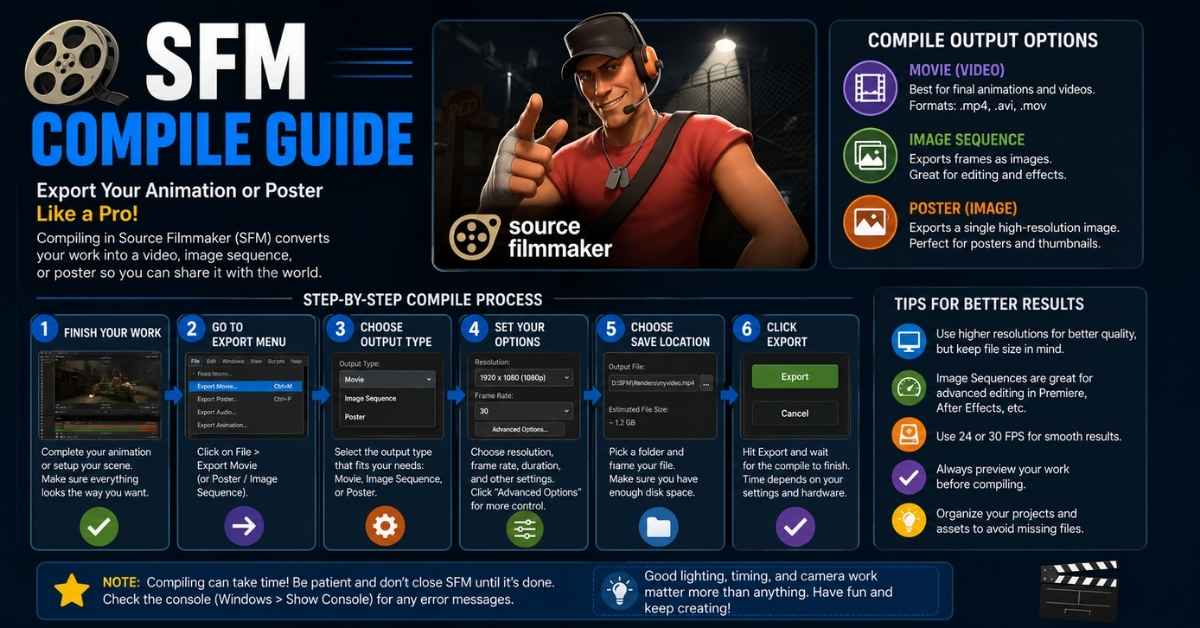
SFM Compile is the process of converting 3D models, animations, textures, and related assets into Source Engine-compatible files so they can be used inside Source Filmmaker (SFM). Whether you’re importing a custom Blender model, creating animations, or fixing compile errors, understanding the SFM compile workflow is essential.
In this guide, you’ll learn how the process works, which tools you need, how to troubleshoot common issues, and advanced techniques that help you compile assets successfully.
What Is SFM Compile?
In Source Filmmaker, assets cannot be used directly after being created in software like Blender, Maya, or 3ds Max. They must first go through a compilation process.
During SFM compile, your project is converted into files that the Source Engine understands, including:
- .MDL (Model)
- .VVD (Vertex Data)
- .VTX (Vertex Index Data)
- .PHY (Physics Data)
- .VTF (Texture Files)
- .VMT (Material Files)
Without compilation, Source Filmmaker cannot load or render your custom assets correctly.
Quick Summary: SFM Compile transforms editable project files into optimized game-ready assets for Source Filmmaker.
How the SFM Compilation Process Works
The workflow is easier to understand when broken into stages.
- Create or edit your 3D model.
- Rig the model with bones.
- Export it as SMD or DMX.
- Create a QC file.
- Compile using Crowbar or studiomdl.exe.
- Generate Source Engine model files.
- Test the compiled asset in HLMV (Half-Life Model Viewer).
- Import the finished model into Source Filmmaker.
Every step builds on the previous one, so skipping or misconfiguring a stage often leads to compile errors.
Essential Tools for SFM Compile
Crowbar
Crowbar is the most popular compilation tool because it provides a simple interface for compiling and decompiling Source Engine models.
Best for:
- Beginners
- QC compilation
- Error checking
- Model conversion
studiomdl.exe
This is Valve’s original compiler.
Best for:
- Advanced workflows
- Automated compilation
- Custom scripts
Blender Source Tools
If you’re creating models in Blender, this add-on exports SMD and DMX files compatible with Source Filmmaker.
VTFEdit
Used for converting images into VTF textures and managing VMT material files.
HLMV (Half-Life Model Viewer)
Before opening a compiled model inside SFM, test it in HLMV to confirm that animations, materials, and physics work correctly.
Understanding the Main File Types
| File | Purpose |
|---|---|
| QC | Controls how the model compiles |
| SMD | Stores meshes and animations |
| DMX | Modern animation format |
| MDL | Final compiled model |
| VVD | Vertex information |
| VTX | Rendering optimization |
| PHY | Physics collision data |
| VTF | Texture files |
| VMT | Material definitions |
Knowing what each file does makes troubleshooting much easier.
Step-by-Step: How to Compile a Model in SFM
Step 1: Prepare Your Model
Finish modeling and clean up unnecessary geometry.
Step 2: Rig and Weight the Mesh
Ensure every vertex is assigned correctly to bones.
Step 3: Export the Asset
Export your project as SMD or DMX using Blender Source Tools.
Step 4: Create a QC File
The QC file tells the compiler:
- Model name
- Texture locations
- Animations
- Physics settings
- Materials
- Output directory
Step 5: Compile Using Crowbar
Load your QC file into Crowbar or execute it with studiomdl.exe.
If everything is configured correctly, the compiler generates the required Source Engine files.
Step 6: Test the Model
Open the compiled model inside HLMV.
Check:
- Materials
- Bones
- Animations
- Collision
- Texture alignment
Step 7: Import into Source Filmmaker
Move the compiled files into the correct usermod folders and load the model inside SFM.
Understanding QC Files
The QC file is the heart of the SFM compile process.
Some commonly used commands include:
- $modelname
- $body
- $cdmaterials
- $sequence
- $collisionmodel
- $surfaceprop
- $bodygroup
Each command controls a different aspect of compilation.
A small mistake in the QC file can prevent your model from compiling successfully.
Common SFM Compile Errors and Fixes
| Error | Likely Cause | Solution |
|---|---|---|
| Missing textures | Wrong VTF/VMT path | Verify material folders |
| Model invisible | QC configuration | Review $modelname and file paths |
| Unknown bone | Rigging issue | Rename or reconnect bones |
| Compile failed | QC syntax error | Check compiler log |
| Animation missing | Incorrect sequence | Update $sequence settings |
| Physics errors | Invalid PHY data | Rebuild collision model |
Always read the compile log before changing multiple settings. Solving one error at a time is far more efficient.
Recommended Folder Structure
Keeping assets organized prevents many problems.
usermod/
 ├── models/
 │   └── props/
 │       └── chair/
 ├── materials/
 │   └── models/
 │       └── chair/
Use consistent names for folders, textures, and model files to reduce broken paths.
Crowbar vs. studiomdl.exe
| Feature | Crowbar | studiomdl.exe |
|---|---|---|
| Easy Interface | ✔ | ✘ |
| Beginner Friendly | ✔ | ✘ |
| Automation | Limited | ✔ |
| Error Visibility | Excellent | Good |
| Recommended for Beginners | ✔ | ✘ |
For most creators, Crowbar is the easiest option, while experienced users often automate tasks with studiomdl.exe.
SMD vs. DMX
SMD
- Widely supported
- Easy to troubleshoot
- Ideal for simple assets
DMX
- Better animation support
- Handles more complex rigs
- Preferred for advanced workflows
If you’re just starting with SFM compile, SMD is usually easier to manage.
Compiling Animations, Materials, and Physics
Compilation isn’t limited to models.
You can also compile:
- Animation sequences
- Physics meshes
- Collision models
- Textures
- Materials
- Bodygroups
- LOD models
Each asset type has its own QC settings, so always review your configuration before compiling.
Performance Optimization Tips
Large projects benefit from optimization.
Some proven techniques include:
- Reduce unnecessary polygons.
- Compress textures where appropriate.
- Organize materials logically.
- Use LOD models for complex scenes.
- Remove unused bones.
- Keep material paths consistent.
These practices improve compile times and overall Source Filmmaker performance.
Real Workflow Example
Imagine importing a custom chair model from Blender.
- Create the model.
- Rig it.
- Export as SMD.
- Write the QC file.
- Compile with Crowbar.
- Fix one missing material path.
- Test in HLMV.
- Import into Source Filmmaker.
This simple workflow mirrors the process used for countless custom assets and highlights the importance of testing after every major step.
Advanced SFM Compile Techniques
Once you’re comfortable with the basics, explore advanced features such as:
- Batch compilation
- Facial flexes
- Bodygroups
- Physics optimization
- Compile automation
- Version compatibility
- Advanced animation sequences
These techniques help streamline larger projects.
Community Resources and Specialized Projects
SFM Compile Club
SFM Compile Club is a term commonly associated with community discussions, shared resources, and creator-focused workflows. Participating in community spaces can help you troubleshoot issues, discover new tools, and learn from experienced Source Filmmaker users.
Marvel Rivals SFM Compile
Interest in Marvel Rivals SFM Compile has grown as creators experiment with fan-made character ports and animations. When working with these assets, always ensure you have compatible model formats, properly configured materials, and correctly written QC files before compiling.
Futa SFM Compile
The phrase futa SFM compile generally refers to compiling niche community-created SFM assets. From a technical perspective, the workflow is the same as any other project: verify the model structure, export supported file formats, configure the QC file, and compile using the appropriate tools.
LEARN MORE: IronMartOnline Reviews
Expert Tips That Save Time
Experienced creators follow a few habits that dramatically reduce errors:
- Read compile logs carefully.
- Back up QC files before editing.
- Compile after small changes instead of making multiple edits at once.
- Keep file names simple and consistent.
- Test every model in HLMV before opening Source Filmmaker.
- Store textures in organized folders.
These small habits can save hours of troubleshooting.
Frequently Asked Questions
What is SFM Compile?
It is the process of converting models, animations, and textures into Source Engine-compatible files for Source Filmmaker.
How do I compile a model in SFM?
Export the model as SMD or DMX, create a QC file, compile it with Crowbar or studiomdl.exe, and test the output before importing it into SFM.
Why does my model fail to compile?
Common causes include incorrect QC syntax, missing textures, invalid bone names, or incorrect file paths.
Is Crowbar better than studiomdl.exe?
For beginners, Crowbar is easier to use. Advanced users may prefer studiomdl.exe for automation and scripting.
Can Blender export directly to SFM?
Not directly. Blender exports supported formats such as SMD or DMX, which must then be compiled into Source Engine model files.
Final Thoughts
SFM Compile is one of the most important skills for anyone creating custom content in Source Filmmaker. Once you understand the relationship between QC files, Crowbar, studiomdl.exe, Blender Source Tools, and Source Engine file formats, the entire workflow becomes much easier to manage.
Whether you’re compiling a simple prop, experimenting with Marvel Rivals SFM Compile, exploring resources from the SFM Compile Club, or working with specialized community assets such as futa SFM compile, success comes from following a structured workflow, keeping your project organized, and testing each stage carefully. With practice and attention to detail, you’ll spend less time fixing errors and more time creating high-quality animations.